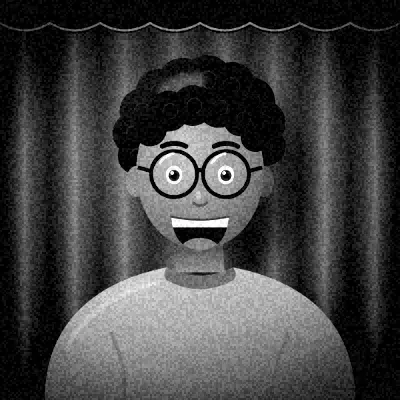



Where the moody look comes from
Dark, desaturated grading is common in thrillers, crime dramas and indie films. Muted color and deep shadows make scenes feel tense or melancholy, and cool tones add distance.
On social media the same style shows up in urban and portrait photography, where it turns ordinary streets and rooms into something cinematic.
It suits black clothing, rain and late evenings.
What this preset does to your photo
Brightness is lowered and contrast raised strongly, pushing the shadows down. Red and green are pulled out of the shadows, while blue is lifted in the highlights, so bright areas take on a cool cast. Saturation drops and the temperature shifts cool.
A heavy vignette darkens the edges and a light, fine grain adds texture.
The combined effect is a photo that feels quieter and colder than the scene in front of you. Skin keeps some warmth in the midtones, so faces don't turn grey, but bright walls and windows lean blue.
How to get the best result
Use one light source, ideally from the side, and let the rest of the room fall dark. Serious or thoughtful expressions suit the mood far better than big smiles.
The Darkroom frame is the natural pairing. The Triptych layout tells a short, three-frame story.
For a single image, open a photo in the editor and use the before and after compare. Shots that looked ordinary often gain a lot from the darker, cooler grade, especially city streets and rainy windows.
Tips
- Turn off overhead lights and use one lamp.
- Look away from the camera in one shot.
- Dark clothes blend into the shadows.
- Try the 9:16 story export for a film-still post.
Questions
Why is my photo so dark?
The preset lowers brightness and crushes blacks on purpose. If it's too dark, add more light or reduce intensity in the editor.
How is this different from Noir?
Noir is black and white with harder contrast. Moody Cinema keeps muted color with cool highlights.
Does it work for group shots?
It can, but the heavy vignette darkens the edges, so people at the sides may disappear. Keep the group close together.