
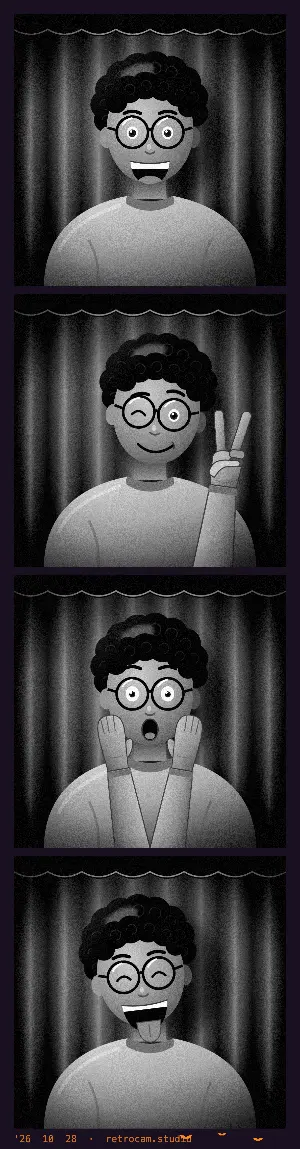
How to make a Halloween photo strip
- Open the booth and allow the camera.
- Tap the layout name at the top (it reads "Strip · 4" at first). Pick Classic strip, Grid or Triptych, then pick the Halloween frame.
- Choose a look from the row under the camera. You see it live before you shoot.
- Press the shutter. The booth counts down from 3 before each photo and takes four in a row (three for a Triptych).
- Save it as Strip or Story to keep the bats (or Print, for a Classic strip), or Share it straight from the booth.
Spooky looks that go with the frame
- Noir
- Hard black and white with deep shadows. Old horror film energy, and it hides messy face paint.
- Neon Night
- Cool blue dusk with a pink glow. Good for glow sticks, fairy lights and anything sci-fi.
- Cross Process
- Strange, shifted color. Makes green skin and fake blood look even less natural, in a good way.
- CineStill 800T
- Built for night. Candles and string lights pick up a red glow.
- VHS Camcorder
- Tape noise and loud color, like found footage from a haunted house.
- Super 8
- Grainy, faded home-movie color. Feels like an old family Halloween reel.
Halloween photo booth ideas
- Four-frame scare: calm, a noise off camera, panic, then everyone is the monster.
- Costume reveal: mask on, mask half off, mask off, mask on the wrong person.
- Villain line-up: everyone gives their best evil stare, one person breaks and laughs.
- Kids: let them pick the pose for each frame. They will choose roaring, and that is fine.
- Dogs in costume: kneel down to their height and hold a treat right above the lens.
- Light the room low and put a lamp or string lights to one side. Shadows help every spooky look.
Running it at a Halloween party
Prop a laptop or tablet on a table, open the booth and leave a box of props next to it. Every strip is kept in Your roll on that device (the last 20), so you can save or print them all at the end of the night. The Print format puts two copies of a strip on one 4x6 sheet, ready to cut. The DIY photo booth guide covers the setup step by step.
Questions
Is the Halloween frame free?
Yes. It is one of the frames in the booth settings, next to Film strip, Polaroid, Minimal and Darkroom. No account is needed. A small date stamp with retrocam.studio is added by default, and you can switch the retrocam.studio part off before you save.
Which formats show the bats?
The Strip, Print and Story formats show the full frame with the bats (Print is offered for the Classic strip layout). Square puts the photos on a plain dark background, and GIF uses the photos on their own.
Can I add stickers or props?
No. RetroCam does not add digital stickers, masks or props. Bring real ones: hats, masks, plastic spiders, a cape. They look better on film anyway.
Can I use the Halloween frame on photos I already took?
Yes. Pick the Halloween frame, then tap the picture button next to the shutter and choose up to four photos from your costume night.